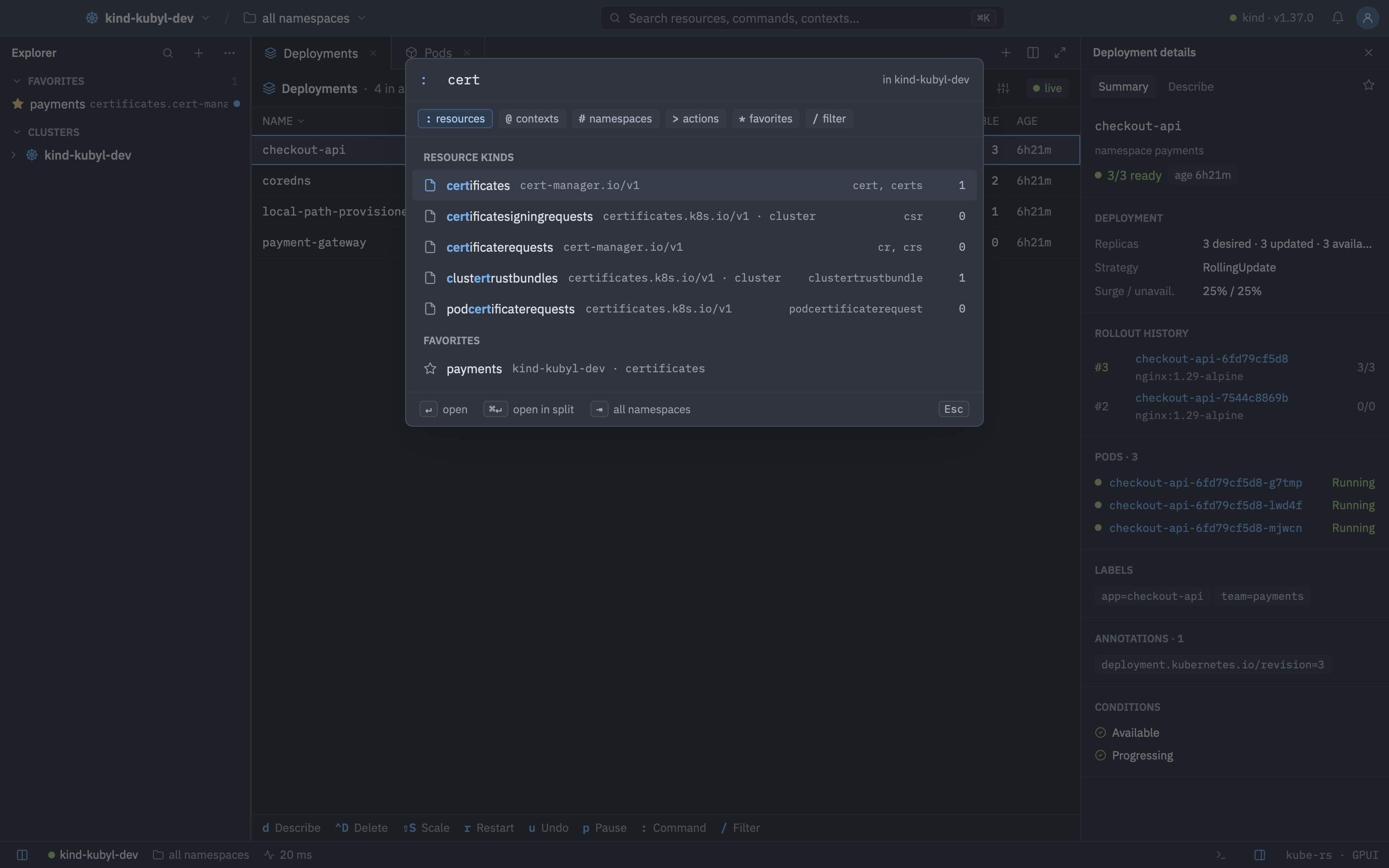
Six prefixes that get you anywhere in the cluster.
Press Ctrl K, or : in a list, and start typing. Matching is fuzzy and recently used entries rank higher.
Kinds, contexts, namespaces, actions, favorites and filters behind one shortcut.| Prefix | Searches | Example |
|---|
| none | Everything: kinds, contexts, namespaces, favorites, actions and loaded objects. Objects need at least 2 characters. | nginx |
: | Resource kinds: names, short names, singular names, kind.group and categories such as all, including CRDs, with live counts. | :deploy -A |
@ | Contexts, with connection state and latency. | @staging-eu-west-1 |
# | Namespaces. Open lists follow along. | #kube-system |
> | Actions available where you opened the palette, with their keys. | >restart rollout |
* | Favorites across every cluster. | *payments |
/ | Filter the focused list. | /CrashLoop |
Press Backspace on an empty prefixed query to return to searching everything.
After : you can use commands you know from k9s:
| Command | Does |
|---|
:pods payments, :po -n kube-system | Open a kind in a namespace. |
:deploy -A, :deploy --all-namespaces, :deploy all | Open a kind across all namespaces. |
:ctx, :ctx <name> | List or switch contexts. |
:ns, :ns <name> | List or switch namespaces. |
:q, :q!, :quit, :qa | Quit Kubyl. |
| Keys | Action |
|---|
| CtrlK | Toggle the command palette |
| CtrlShiftP | Actions palette |
| CtrlP | Go to object, across the loaded caches of connected clusters |
| ShiftO | Go to a reference of the selected object (owner, node, secrets…) |
| Keys | Action |
|---|
| UporDownorCtrlNorCtrlP | Move |
| Enter | Open |
| CtrlEnter | Open in a split |
| Tab | Toggle all namespaces |
| Esc | Close |