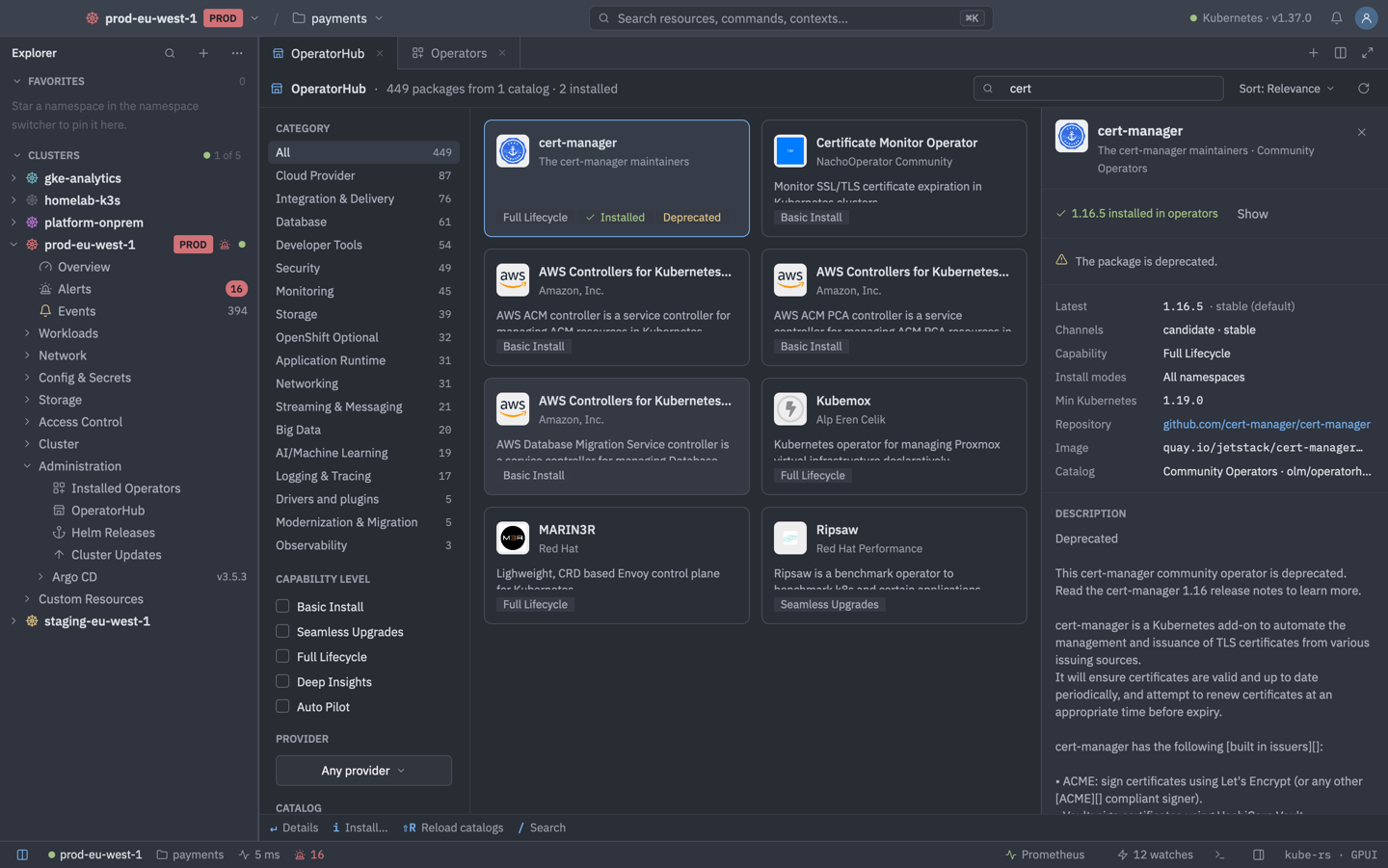
Under Administration, the Operators view has tabs for Installed Operators, Install Plans, Subscriptions, Helm Releases and Extensions, plus an OperatorHub catalog. The operator rows only appear on clusters running OLM. Helm is shown everywhere.
OLM v0
Installed operators are joined from Subscriptions, ClusterServiceVersions (copied CSVs are excluded), InstallPlans and CatalogSources. You can:
- Install… from OperatorHub, and Reload catalogs.
- Handle manual approval with Approve Upgrade… and Review Changes.
- Create Instance… of an operator's CRD and View CSV YAML.
- Uninstall…, with optional CRD removal that keeps CRDs another CSV owns.
| Keys | Action |
|---|---|
| Enter | Details |
| A | Approve |
| D | Review changes |
| C | Create instance |
| Y | View CSV YAML |
| CtrlD | Uninstall |
| I | Install (OperatorHub) |
| ShiftR | Reload catalogs (OperatorHub) |
OLM v1
ClusterExtensions and ClusterCatalogs are shown read-only. Install and upgrade go through YAML templates (New ClusterExtension…). There is no full UI for v1 yet.
Helm releases
Helm support is read-only. Open a release for its Values, Manifest, Notes, History and Resources, step through older and newer revisions, and reveal or mask secret values. Copy helm command… produces helm commands that carry --kubeconfig.
| Keys | Action |
|---|---|
| Enter | Open the release |
| VorMorH | Values / manifest / history |
| 1or2or3or4or5 | Values, Manifest, Notes, History, Resources (in a release tab) |
| [or] | Older / newer revision |
| R | Reveal or mask |
| C | Copy the helm command |