Kubyl is a native Kubernetes desktop client for macOS, Windows and Linux. It does the day-to-day work of k9s and the Kubernetes Dashboard, plus selected OpenShift console features such as operators, cluster updates and Routes, in one keyboard-first window.
It is written in Rust on GPUI, the UI framework behind the Zed editor. Every frame is drawn on the GPU, with no Electron and no web view, and the look follows Zed. Kubyl is free for everyone, companies included, and licensed under MIT or Apache-2.0.
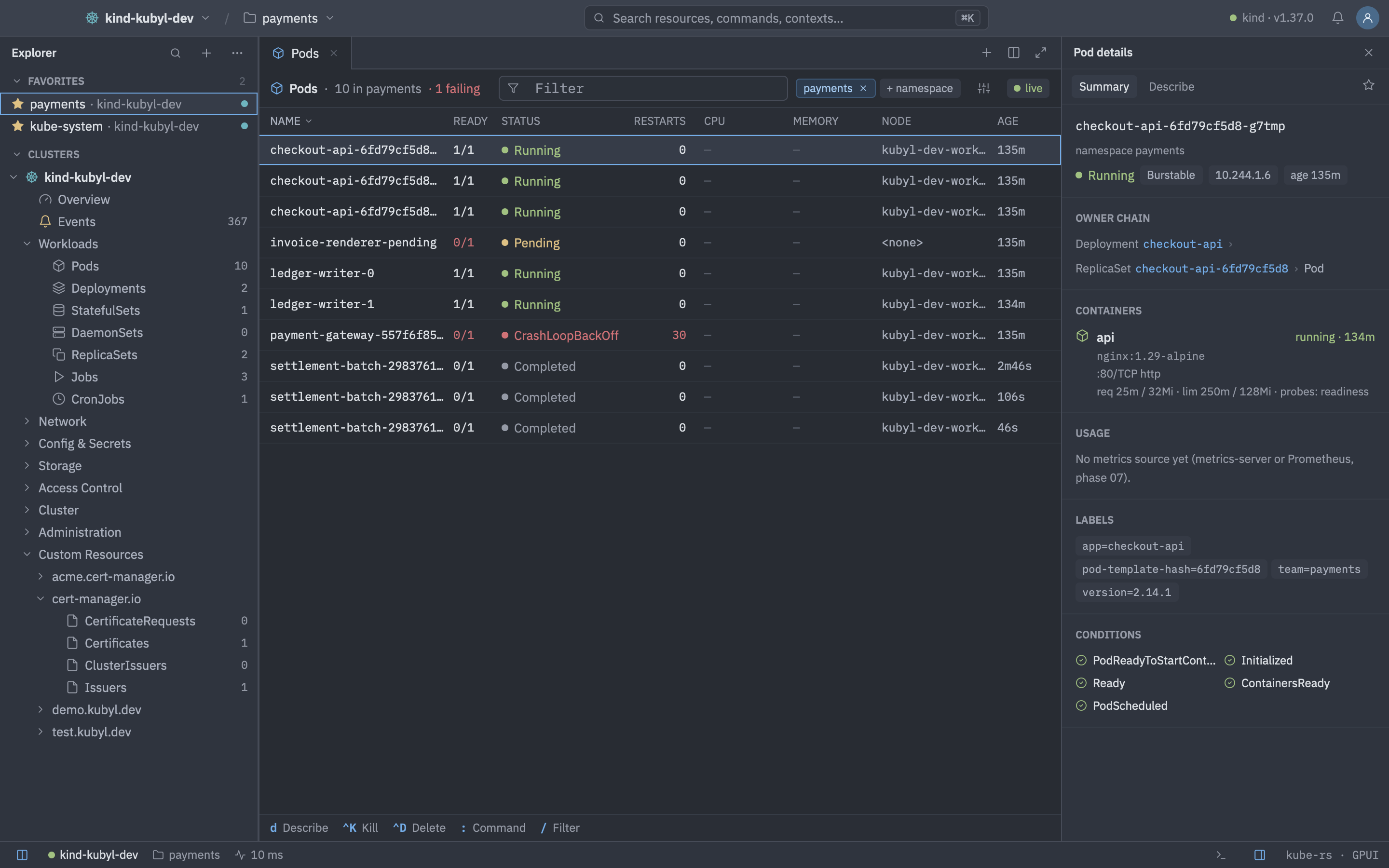
What you can do
- Merge every kubeconfig into one sidebar and sign in with OIDC, OpenShift OAuth or cloud exec plugins. See Clusters and kubeconfigs and Authentication.
- Browse live, watch-backed resource tables with filters, bulk actions and a details panel. See Resource lists.
- Edit YAML with schema validation and server-side apply. See YAML editor.
- Stream logs, open a terminal, forward ports and browse pod files.
- Watch cluster health in the overview and metrics, alerts and network flows.
- Manage operators, Helm charts and releases, cluster updates, and GitOps with Argo CD and Flux.
- Ask your own coding agent about what you are looking at, with read-only cluster tools and masked Secrets. See AI agents.
- Browse Gateway API routes, EndpointSlices, admission policies, autoscalers and Device Resources. See Resource lists.
- Reach services in a web view, and keep clusters safe with production and read-only modes.
In the next release
- Export any table as CSV and open a local terminal with
kubectlset to one cluster. - See objects grouped by app in Applications, scan images and configs in the Security Center, and read costs in Cost.
- Ask the agent canned questions about any resource, and discover EKS, AKS and GKE clusters in your cloud accounts.
Conventions in these docs
- Mod means ⌘ on macOS and Ctrl on Windows and Linux.
- Names in
monospaceare settings keys, file names or commands you type. Names in quotes are labels you see in the app. - These docs describe release 0.6.0. Features that are merged but not released yet carry the note “Available in the release after 0.6.0.”
- Features that depend on a cluster component, such as Prometheus, Argo CD, Flux or Trivy Operator, only appear when that component is present.